

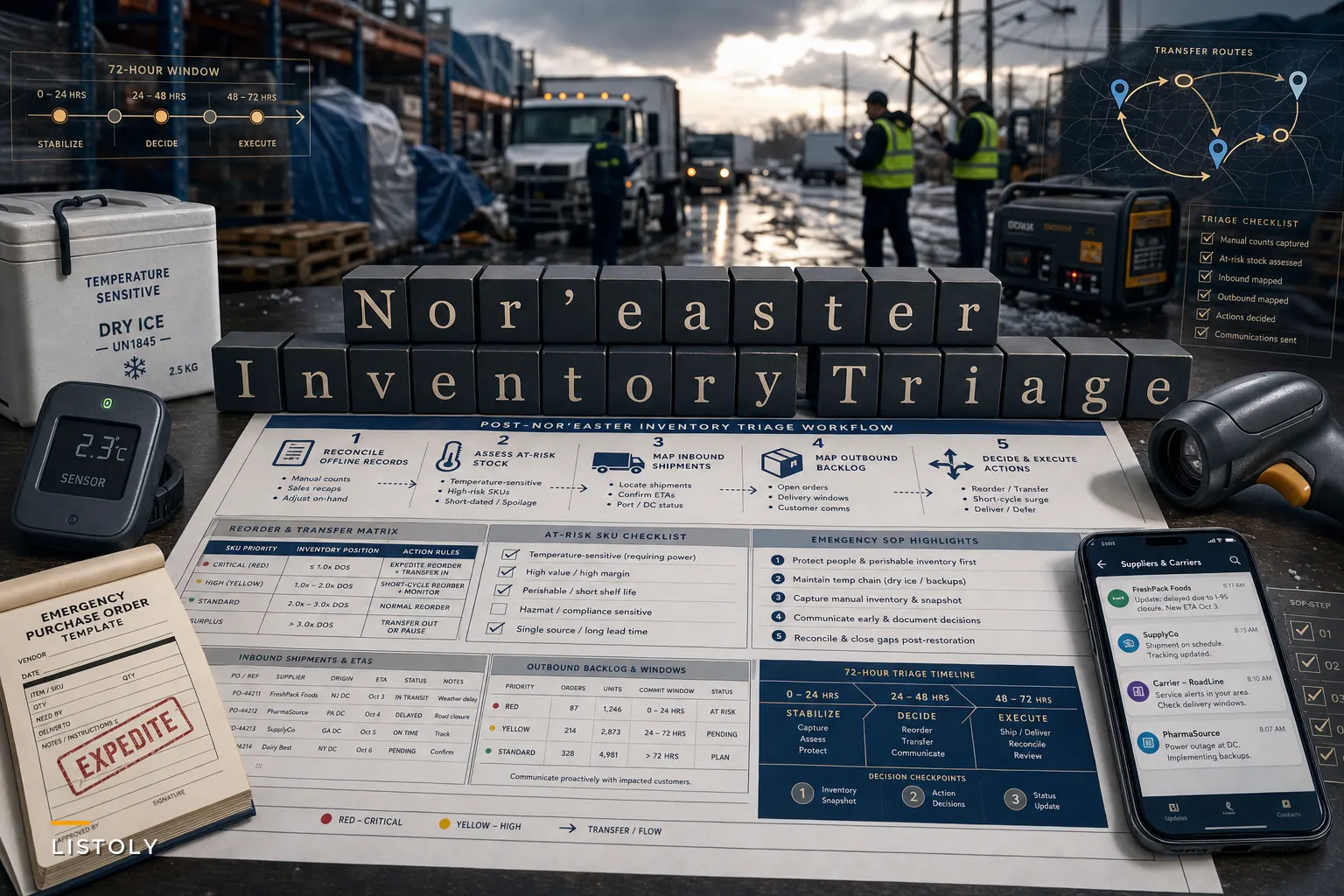

The nor'easter that hammered the Northeast from September 24–27 left more than 100,000 customers without power and grounded hundreds of flights, according to Reuters. The wind is done and the water is receding. But if you run inventory for a small or mid-sized business in the region — or you source product through it — your problems are just getting started. The freight that was supposed to arrive Thursday is sitting somewhere. Your system may have gone dark for a stretch, which means whatever got received or shipped during the outage lives in someone's notebook or memory. And the orders that didn't go out are now stacking up behind the ones that did.
This isn't really about the storm. It's about the 72 hours after, when a dozen small decisions either stabilize your operation or quietly bleed it for the next three weeks. The teams that recover fast don't do anything heroic. They just triage in the right order.
## Triage order matters more than speed
The instinct after a disruption is to fire off emergency reorders and start calling carriers. That's usually the wrong first move. You end up double-ordering stock that's actually sitting on a delayed truck 40 miles away, or transferring product between locations that both turn out to be short.
The first job isn't action. It's getting an honest picture of where you actually stand. In real operations, the biggest post-storm losses don't come from the outage itself — they come from acting on inventory numbers that went stale the moment systems dropped or receiving stopped matching reality.
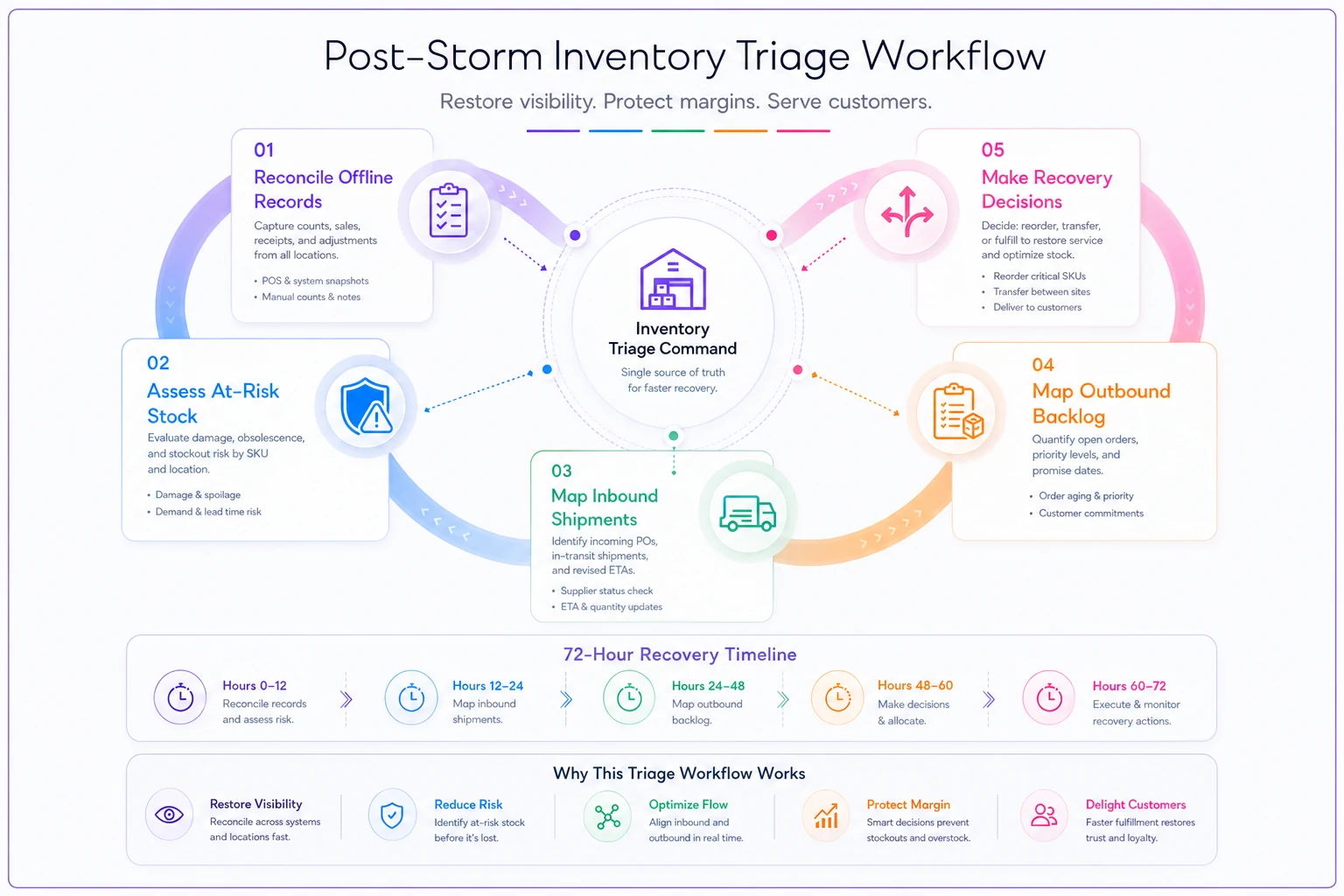
Here's the sequence that holds up:
-
Reconcile what the storm broke in your records. Any period where your system was offline, or where receiving and shipping happened manually, needs to be reconciled before you trust a single on-hand number. If you logged receipts on paper during an outage, enter them now and flag anything you're unsure about.
-
Assess physical risk to at-risk stock. Temperature-sensitive, moisture-sensitive, and anything that sat in a compromised zone gets inspected and categorized before it's counted as sellable.
-
Map inbound reality. Call or check carrier status on every open inbound PO. Sort them into "arriving soon," "delayed, unknown ETA," and "probably reroute or cancel."
-
Map outbound backlog. List every order that didn't ship, grouped by promise date and channel.
-
Only then make reorder, transfer, and delivery decisions.
Skip step one and everything downstream is built on bad data.
A quick workflow to follow during the first 72 hours.
This is also why the groundwork during the outage matters — the immediate steps for protecting inventory during power outages aren't just about the moment the lights go out. They're what make your post-storm reconciliation possible in the first place.
## The reconciliation gap nobody budgets for
The problem the storm actually exposes isn't weather. It's the fragility of your inventory records during any system interruption.
Never run out of stock or overorder again.
Listoly streamlines inventory workflows to keep your business stocked and profitable.
- Real-time stock tracking
- Automated reorder alerts
- Supplier and purchase management
No credit card required
When a business loses power or connectivity for even four hours during active receiving, you get a gap. Product came in. Orders maybe went out. Somebody wrote things on a clipboard, or didn't. When systems come back, there's a strong temptation to just resume as if nothing happened. That's where phantom inventory is born — on-hand counts that say you have 60 units when you have 38, or the other way around.
A typical example: a specialty food distributor in Connecticut loses power Friday afternoon. Two inbound pallets get received manually on paper. Three local delivery orders get pulled and loaded but never scanned out because the handheld was dead. Monday, the system shows those three orders still open and those two pallets missing. Someone reorders one of the pallets ($2,400 worth) and re-picks two of the "open" orders that already shipped, creating a short on the next legitimate order. None of that is incompetence. It's just what happens when the record and the reality drift apart and nobody closes the gap deliberately.
Before you make any reorder or transfer call, physically count the SKUs that moved during the outage window.
The fix is boring and it works: before you make any reorder or transfer call, physically count the SKUs that moved during the outage window. You don't recount the whole warehouse. Just the stuff that was in motion when things went dark — usually a short list.
## Reorder vs. transfer vs. wait: a decision matrix
Once you've got a clean picture, most post-storm shortages fall into one of a few buckets. The mistake teams make is treating every shortage the same way — usually by reordering. But reordering is often the slowest and most expensive option when a sister location or a delayed truck can solve it.
| Situation | Inbound truck delayed but coming | Sister location has surplus | True shortage, no inbound | At-risk/spoiled stock |
|---|---|---|---|---|
| Demand is steady | Wait, communicate ETA | Transfer if transfer cost < expedite cost | Reorder normal terms | Quarantine, reorder replacement |
| Demand spiking (replacement goods) | Expedite the existing PO first | Transfer immediately | Emergency reorder | Reorder expedited |
| Demand likely to drop after | Wait, don't overcommit | Hold transfer | Reorder minimum | Write off, don't replace fully |
An inbound shipment that's merely delayed is almost always cheaper to wait on or expedite than to duplicate with a fresh order. A transfer between your own locations beats a reorder when the freight cost of moving it is less than the markup-plus-shipping of buying new — and when the donor location can genuinely spare it without creating its own stockout.
Where people get burned is the "demand spiking" row. After a storm, certain categories move fast — cleanup supplies, replacement electronics, generators, batteries, shelf-stable food. If you reorder those on normal lead times, you'll receive them after the spike is already over and eat the carrying cost. Expediting what's already in the pipe usually beats placing a brand-new order you can't receive in time anyway.
## Delivery and promise-date rules when last-mile is a mess
Canceled last-mile deliveries and disrupted freight were a defining feature of this storm — CNN's live coverage of the nor'easter tracked the flight cancellations and road closures as they piled up. For an inventory team, the downstream effect is a backlog of outbound orders with promise dates you can no longer hit.
-
Perishable and dated outbound first. Anything with a clock on it ships before anything that can wait, regardless of order date.
-
At-risk customer relationships second. Your largest accounts and any customer already burned once this cycle. A late order to a wholesale account costs you more than a late order to a one-time retail buyer.
-
Promise dates you can still save third. Orders where same-day expediting actually lands them on time.
-
Everything else, oldest first.
Worth saying plainly: proactively telling a customer their order is delayed — with a real new date — costs you far less than silence. A backlog handled with clear communication rarely produces chargebacks or cancellations. A backlog handled silently produces both.
## A tight post-storm checklist you can run today
If you do nothing else this week, run this:
-
[ ] Identify your system-outage window and list every SKU that was received or shipped during it
-
[ ] Physically recount only those in-motion SKUs before trusting on-hand numbers
-
[ ] Inspect and quarantine any temperature- or moisture-exposed stock; don't let it re-enter sellable inventory by default
-
[ ] Pull a report of all open inbound POs and get a real ETA on each
-
[ ] Tag each delayed inbound as wait / expedite / reroute / cancel
-
[ ] List outbound backlog, sort by the sequencing rule above
-
[ ] Before any emergency reorder, check sister-location surplus and in-transit stock
-
[ ] Send proactive delay notices on any outbound order that will miss its date
-
[ ] Flag every carrier and supplier SLA breach now, while timestamps are fresh, for later credit recovery
-
[ ] Note which SKUs are spiking (replacement/cleanup goods) and decide expedite-vs-reorder for each
That last point on SLA breaches matters more than it looks. Carriers and suppliers missed commitments this week because of genuine weather. But documented, timestamped breaches are still your basis for freight credits and vendor conversations later. Capture them now — in three weeks nobody will reconstruct which truck was 36 hours late.
## A real scenario: the home-goods seller who recovered in four days
A mid-sized home-goods seller running two Northeast locations and an e-commerce channel lost power at its main warehouse for most of a day during the storm. Roughly 40 outbound orders were stuck, two inbound container-fed POs were delayed indefinitely, and a chunk of their candle and wax-melt inventory sat in a warehouse that climbed past safe temperature for several hours.
Their first instinct was to reorder the two delayed POs — about $9k of product. Instead they paused, recounted the in-motion SKUs, and found one of the "delayed" containers was actually 24 hours out, not lost. They expedited it rather than reordering. For the candle stock, they quarantined roughly 300 units that had warped or sweated, wrote off about 110, and cleared the rest after inspection instead of trashing the whole lot.
The outbound backlog got sorted by promise date. Wholesale accounts and dated orders went first, with delay notices sent proactively on everything else. End result: they avoided a duplicate $9k order, recovered maybe two-thirds of the at-risk candle stock that a blanket write-off would have dumped, and lost only a couple of smaller orders to cancellation instead of a dozen. The whole operation was stable again in about four days.
Nothing in that recovery was sophisticated. It was sequencing, honest counting, and communication — in that order.
## The underlying fix: your inventory truth has to survive a bad day
The storm is a stress test for one specific thing: how fast you can get back to a trustworthy inventory position after a disruption. Businesses that recover quickly usually share one trait that has nothing to do with the weather — their systems keep inventory, inbound status, and location-level stock in one place. Reconciling a bad day means checking one source instead of stitching together a clipboard, three spreadsheets, and someone's memory.
That's the quiet advantage of running operations on a platform where transfers, reorder points, inbound PO status, and multi-location on-hand all live together. When the outage ends, you're reconciling against a single record. When demand spikes, you can see which location can cover it before you place a new order.
The storms will keep coming — and not just literal ones. Carrier failures, supplier blowups, a system outage on your busiest Friday — they all expose the same gap between what your records say and what's physically true. Build your operation so that gap is small and quick to close, and the next disruption becomes a triage exercise instead of a crisis. Run the checklist above the moment the lights come back, reconcile before you react, and sequence your recovery by value rather than panic. That's the whole game.
Ready to optimize your inventory operations?
Join 2,000+ businesses using Listoly to reduce stockouts, save time, and improve order accuracy.