

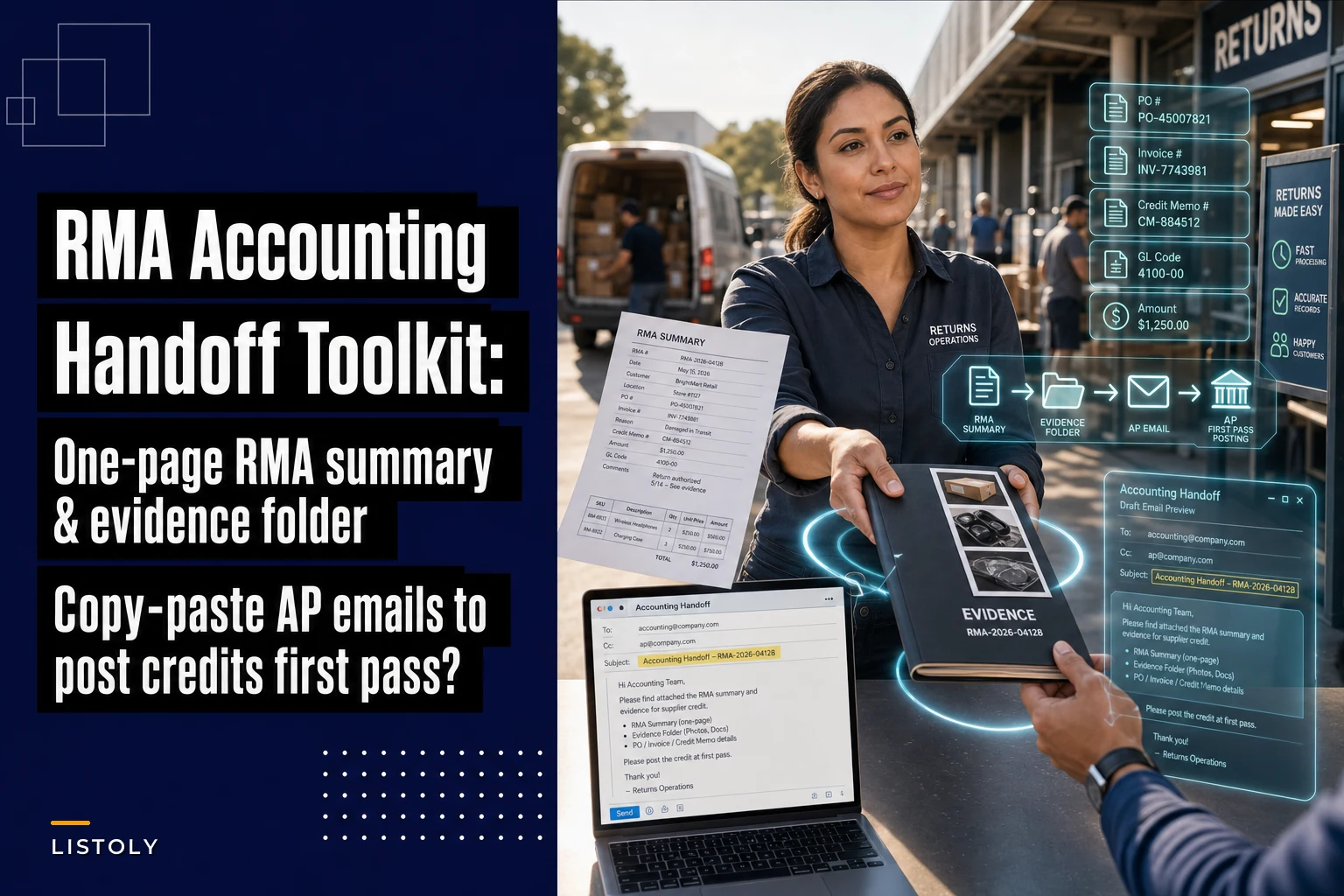

The warehouse side of an RMA is usually what gets all the attention. You pull the defective units, photograph them, package the return, get the RMA number from the vendor, ship it back. That's the hard physical work, and most teams get reasonably good at it over time.
Then the whole thing stalls.
The vendor issues a credit memo. It lands in someone's inbox and just… sits. Three weeks later your controller is asking why the supplier balance still shows a $4,200 charge you thought was resolved, and now you're digging through emails trying to figure out which PO it tied back to and whether the credit was supposed to offset an open invoice or come back as a refund.
That gap — between "vendor approved the credit" and "credit actually posted to the right account" — is where most of the recovery delay hides. And almost none of it is a vendor problem. It's a handoff problem. AP never got a clean, structured summary they could act on without chasing someone for answers.
This toolkit fixes that one specific thing: packaging the accounting handoff so credits post without follow‑ups. If you've already got the physical return process down (if not, the RMA-to-vendor runbook covers the evidence and submission side), this is the piece that actually gets the money back on the books.
Why credits stall at the finance handoff (it's almost always the same four reasons)
When a credit memo doesn't post cleanly, the root cause is rarely mysterious. In practice it comes down to a handful of recurring failures.
AP doesn't know how to apply it. A credit memo arrives, but nobody told finance whether it offsets a specific open invoice, reduces a future PO, or should come back as cash. So it gets parked. The PO and invoice references don't match either — the vendor's credit memo references their internal doc number, not your PO, and AP can't tie it to anything in your system. It becomes an orphaned line item. Then there's the GL coding problem: the person who ran the RMA knows it was a defective-goods return, but AP has no idea which account it hits, so they guess or wait. And the evidence is scattered — return photos in a shared drive, RMA approval in email, tracking in a carrier portal, credit memo PDF buried in a separate thread. AP can't verify the amount quickly, so it drops down the priority list.
The pattern underneath all four is the same: the warehouse or ops person has every piece of context in their head and assumes AP has it too. AP has none of it. They need a single document with the fields in the order their system wants them.
That document is a one‑page RMA Summary Sheet. Build it once, fill it out in five minutes per return, and most of the back‑and‑forth disappears.
The one‑page RMA Summary Sheet: exact field order
The field order matters more than people expect. AP teams enter credits in a specific sequence — look up the vendor, find the PO, match the invoice, apply the credit memo, code it, confirm the amount. If your sheet mirrors that sequence, they can work top to bottom without jumping around.
Never run out of stock or overorder again.
Listoly streamlines inventory workflows to keep your business stocked and profitable.
- Real-time stock tracking
- Automated reorder alerts
- Supplier and purchase management
No credit card required
Here's the field order that works, with what goes in each and why:
| # | Field | Example | Why AP needs it here |
|---|---|---|---|
| 1 | Vendor name | Northfield Components LLC | First lookup in any AP system |
| 2 | PO# | PO‑2024‑3391 | Ties the credit to the original purchase |
| 3 | Invoice# | INV‑88421 | The charge the credit relates to |
| 4 | Credit memo# | CM‑5567 (vendor‑issued) | The document AP actually posts against |
| 5 | GL code | 5120 – COGS / Defective Returns | Removes the guesswork that causes parking |
| 6 | Amount | 4,218.50 | The exact credit value |
| 7 | Currency | USD | Only looks optional until you deal with a CAD or EUR vendor |
| 8 | Application instructions | Apply to open INV‑88421; balance to refund | The single most skipped field, and the one that stalls the most credits |
| 9 | Evidence locator | /RMA/2024/3391/ (photos, approval, tracking) | One path, not a scavenger hunt |
| 10 | Contact | J. Reyes, ops@ — ext. 114 | So AP asks one person, not the whole team |
A couple of things worth flagging:
Field 8 is the one everyone forgets. "Application instructions" is the difference between a credit that posts same-day and one that sits for a month. Spell it out in plain language: apply to this invoice, reduce the next PO, or request cash refund. Don't make AP infer it.
Field 9 should point to one location. The fastest-posting handoffs link to a single folder containing everything — return photos, the RMA approval email saved as PDF, the carrier tracking screenshot, the vendor's credit memo. If AP has to open four systems to verify one amount, the credit slides down the priority list.
Sample filled row for reference
Vendor: Northfield Components LLC PO#: PO-2024-3391 Invoice#: INV-88421 Credit memo#: CM-5567 GL code: 5120 – COGS / Defective Returns Amount: 4,218.50 Currency: USD Application: Apply full amount to open INV-88421. No balance remaining; do not refund. Evidence locator: \\shared\RMA\2024\3391\ (photos, RMA-approval.pdf, tracking.png, CM-5567.pdf) Contact: J. Reyes — ops@company.com — ext. 114
One screen. AP can post from that without sending a single reply.
Quick workflow:
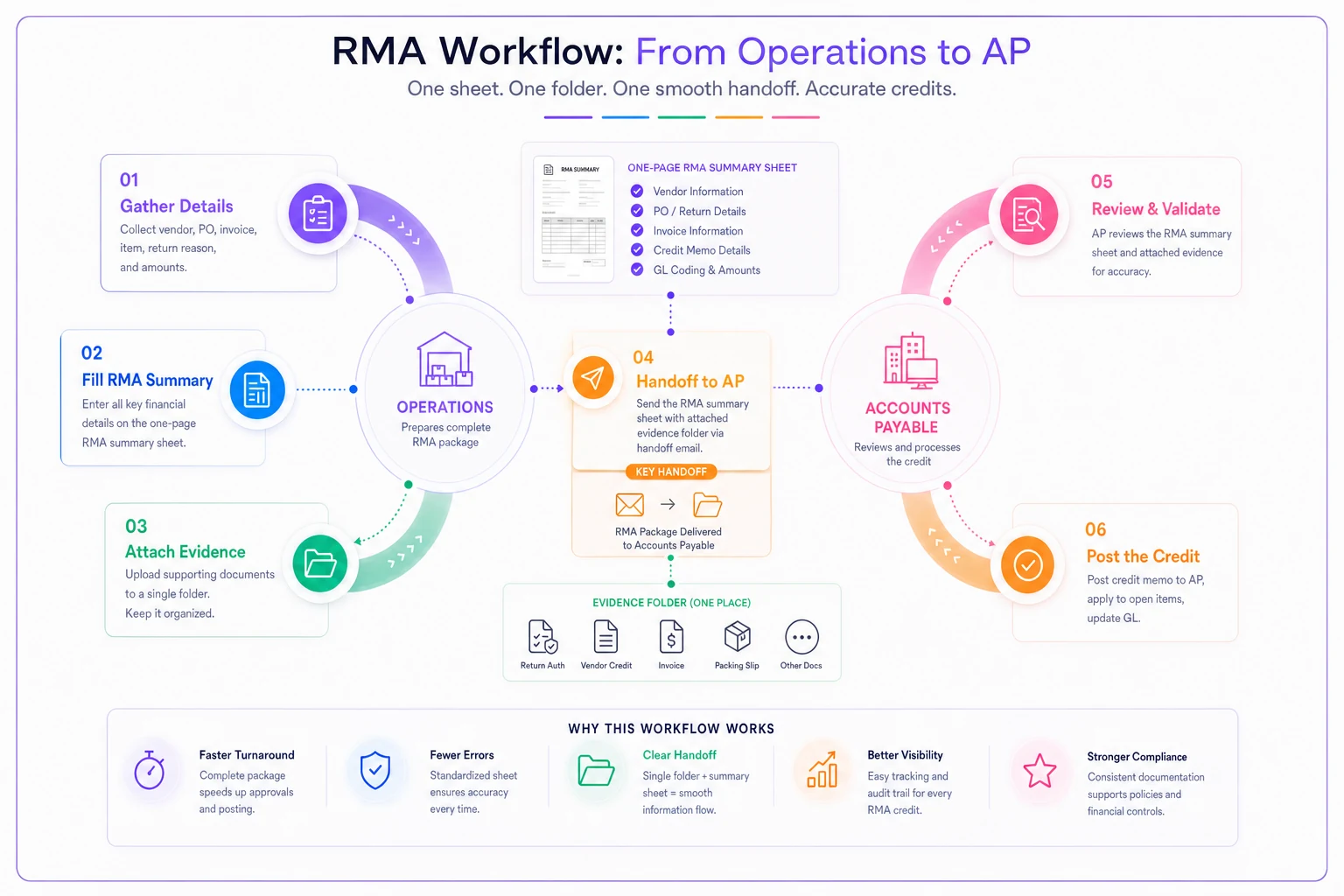
The sheet mirrors AP's sequence so posting happens top-to-bottom.
Copy‑paste email template #1: the Accounting Handoff (to AP / internal finance)
This goes to your own finance team or AP person, with the summary sheet attached. The goal is zero clarifying questions.
Subject line: RMA Credit Ready to Post — PO-2024-3391 — Northfield — $4,218.50
> Put the dollar amount and PO in the subject. AP triages by subject line, and a credit with a clear amount gets handled faster than a vague "RMA follow‑up."
CC list: the person who owns the vendor relationship + whoever reconciles the supplier statement. Two or three people max.
Body:
-
Hi [AP contact],
-
Vendor
Northfield Components LLC
-
Credit memo
CM-5567
-
Amount
$4,218.50 USD
-
Apply to
open invoice INV-88421 (full amount, no refund balance)
-
GL
5120 – COGS / Defective Returns
-
Everything AP needs — PO, invoice, credit memo PDF, return photos, tracking — is in the summary and linked in the evidence folder (path on the sheet).
-
If anything's missing or doesn't tie out, reply here and I'll sort it same day.
-
Thanks, [Name]
The reason this works: it gives AP the answer twice — once in the summary attachment, once in the body for whoever's scanning quickly. The "reply here and I'll sort it same day" line also sets the expectation that follow‑ups go to one person, not a group thread nobody owns.
Copy‑paste email template #2: the AP Confirmation (to the vendor)
Half of stalled credits stall because the vendor said they'd credit you but never actually issued the memo — or issued it with a number you never captured. This email pins the vendor down and gets you the three things you actually need: the credit memo number, remittance advice or statement line, and confirmation of how it's being applied.
Subject line: Credit Memo Confirmation Needed — RMA-7742 / PO-2024-3391
CC list: your buyer/AP + the vendor's AR contact if you have one.
Body:
-
Credit memo number for this return
-
Credit amount and currency
-
How it's being applied — against invoice INV-88421, as a credit on our account, or as a refund
-
Remittance advice or the statement line where it appears
If you can attach the credit memo PDF, that's all we need to post it and close the item.
Appreciate it, [Name]
The numbered list is deliberate. Vendors reply to numbered questions more completely than to a paragraph — they tend to go one by one. The fourth item (remittance advice / statement line) is what lets your reconciler actually find the credit on the next supplier statement instead of just taking the vendor's word that it's "in there somewhere."
Attachment and filename conventions
This sounds trivial. It isn't. When AP opens an attachment called scan_002.pdf, it tells them nothing — and it won't survive being saved anywhere findable in their system.
-
RMA-7742PO-2024-3391CreditMemo_CM-5567.pdf
-
RMA-7742PO-2024-3391Summary.pdf
-
RMA-7742PO-2024-3391ReturnPhotos.pdf
-
RMA-7742PO-2024-3391Tracking.pdf
Pro-tip: Keep the summary sheet as its own PDF, separate from the evidence bundle.
The rule: RMA number first, PO second, document type third, vendor doc number last. Every file for a given return sorts together alphabetically, and anyone can tell what's inside without opening it. When your controller audits supplier credits at month‑end, this convention alone saves a solid hour of "what is this file."
Keep the summary sheet as its own PDF, separate from the evidence bundle. AP often forwards just the summary to post the credit and keeps the rest in reserve.
The packaging checklist: run this before you hit send
Short pre‑flight check to catch gaps before they become follow‑up emails. Run it every time:
-
Summary sheet filled completely — no blank fields (especially application instructions)
-
Credit memo number captured from the vendor (not just "pending")
-
Amount on the summary matches the credit memo PDF exactly
-
Currency stated explicitly
-
GL code filled in — don't leave AP to guess
-
Application instruction is one clear sentence
-
Evidence folder path is correct and actually opens
-
All attachments renamed to the convention
-
Subject line includes PO and dollar amount
-
CC list trimmed to two or three people who actually act
If any item is unchecked, the email isn't ready. The whole point of this toolkit is that AP never has to reply with a question — and an incomplete summary guarantees they will.
A real scenario: where the handoff actually breaks
A regional electrical supply distributor — around 15 staff, mostly B2B — was running somewhere between 20 and 30 vendor RMAs a month on defective and mis‑shipped product. The physical returns were handled fine. Product went back, vendors approved credits.
The problem showed up at month‑end. Their controller kept finding supplier balances that didn't reflect credits everyone believed had been issued. On one review, roughly $11k in approved credits across several vendors hadn't posted — not because vendors reneged, but because the credit memos had landed in the warehouse manager's inbox and never made it to AP with enough context to act on. Some were missing the PO reference entirely. One sat for about seven weeks.
They didn't change anything about the physical return process. They just added the one‑page summary sheet and the two email templates to the end of it. The ops person started filling the sheet the moment a credit memo arrived and sending the handoff email same day.
Within a couple of months the aging on supplier credits dropped from the three-to-seven‑week range to under a week for most returns. The controller stopped finding surprise balances at month‑end. Nothing clever happened — the context just stopped getting lost between the two desks.
That's the whole mechanism. The delay was never about effort or vendor cooperation. It was about a missing artifact at the one point where the return left ops hands and entered finance's.
Where a system helps (and where it doesn't)
You can run this entirely on a shared drive and a couple of saved email drafts, and plenty of small teams should. The templates above work fine on their own.
Where it gets heavy by hand is volume and tracking which credits haven't posted yet. If you're running 30+ RMAs a month, keeping a manual list of "approved but not yet credited" and chasing vendor confirmations becomes its own part-time job. This is where inventory and operations platforms with built‑in RMA tracking earn their keep — the summary fields live on the return record, evidence attaches in one place, and the system can flag credits that have been approved but not confirmed as posted after a set number of days. The handoff email more or less assembles itself from fields you already filled in.
The honest take: the tool doesn't fix a broken handoff process. It removes the manual effort from a handoff you've already designed well. Get the summary sheet and the templates right first. Automate the tracking second, once the volume justifies it.
The one thing to take away
Supplier credit recovery doesn't fall apart in the warehouse. It falls apart in the five minutes after the credit memo arrives, when the context that would let AP post it cleanly stays in the head of the person who ran the return.
A one‑page summary sheet with the fields in AP's working order, two copy‑paste emails, and a consistent filename convention is a small amount of structure. But it closes the exact gap where weeks of delay accumulate. Fill the sheet the moment the memo lands, send it to the one person who posts it, and most of the chasing simply stops happening.
Ready to optimize your inventory operations?
Join 2,000+ businesses using Listoly to reduce stockouts, save time, and improve order accuracy.