


Most returns areas have the same quiet failure: the first person touching a return doesn't have the authority or the script to make a decision, so the item just sits. It goes into a bin labeled "to inspect," which is really a bin labeled "nobody's problem until month-end." By then the product has lost resale value, the vendor return window may have closed, and nobody remembers what condition it came back in.
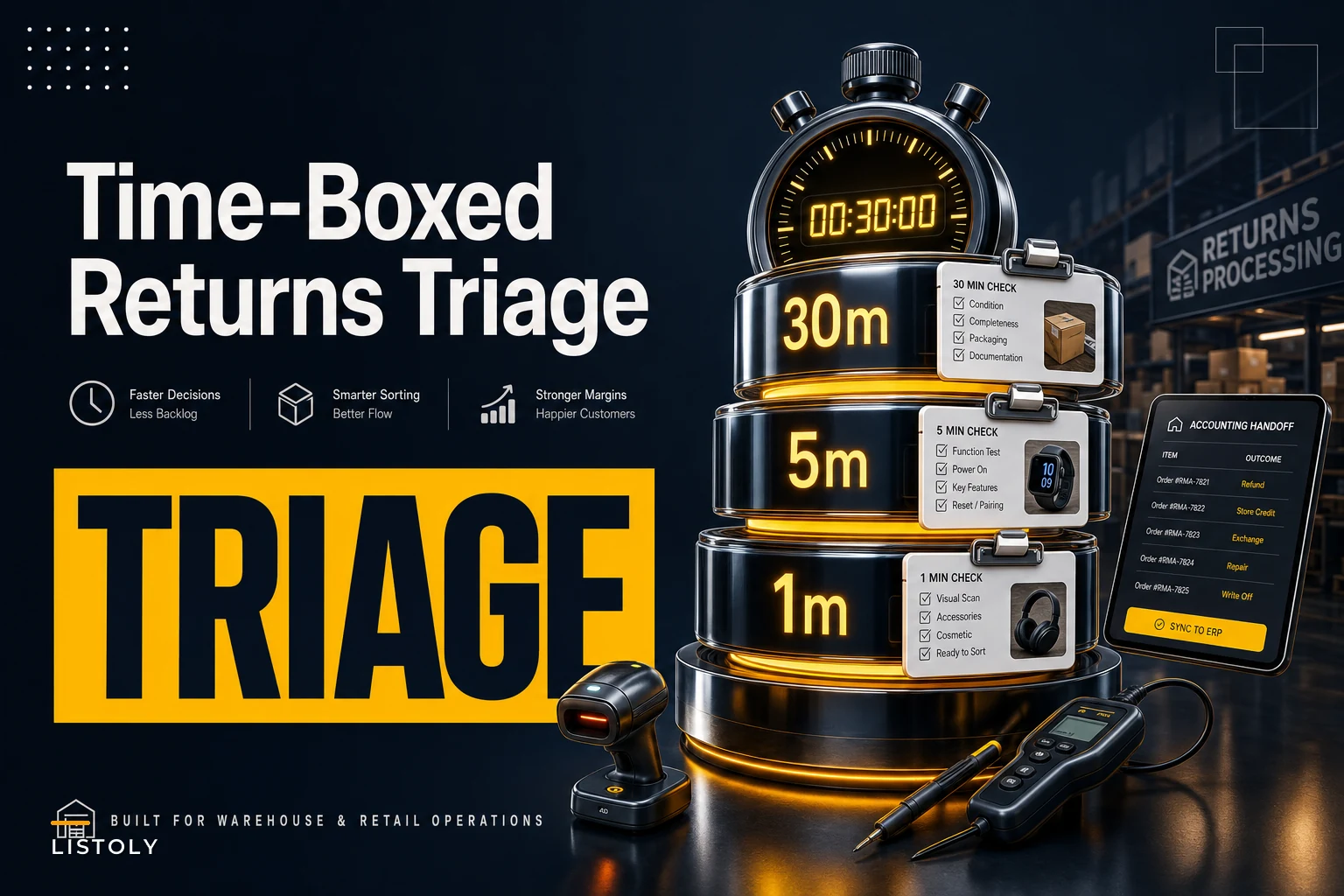
The fix isn't a better bin. It's a time-boxed inspection system where the person at the receiving table knows exactly how long to spend on each return and exactly what decision to produce at the end of that window. Spend 30 minutes on the units that deserve it, 5 on the middle tier, 1 minute on the obvious trash. That's the whole idea. The hard part is building the thresholds and scripts so a part-time receiver can run them without escalating everything to you.
The core problem: every return gets treated the same
Walk into most small warehouse return areas and you'll find a flat process. A $12 phone case and a $380 espresso machine go through the same "inspect and decide later" path. The $12 case doesn't deserve a 20-minute functional test, and the $380 machine absolutely deserves more than a glance.
What happens in practice is usually the opposite of what should happen. Receivers spend real time opening cheap stuff because it's easy and low-stakes, and they rush or defer the expensive, complicated items because those feel risky to decide on. So the high-value returns — the ones where speed actually recovers money — are the ones that rot in the queue.
The time-boxing approach flips this by tying inspection depth to recoverable value and decision complexity, not to whatever the receiver feels like doing. You decide the tier before you touch the item, based on two things you already know at intake: the SKU's resale value and whether it's the kind of product that can fail in hidden ways.
The three inspection tiers
Here's the tiering logic that works for most SMB return volumes. Set the dollar thresholds to match your own catalog — these are starting points, not gospel.
Never run out of stock or overorder again.
Listoly streamlines inventory workflows to keep your business stocked and profitable.
- Real-time stock tracking
- Automated reorder alerts
- Supplier and purchase management
No credit card required
| Tier | Time box | Applies to | Decision produced |
|---|---|---|---|
| 30-minute | Up to 30 min | High-value items (roughly $150+), anything electronic/mechanical, anything under warranty claim | Full functional test, refurb cost estimate, go/no-go with photos |
| 5-minute | Up to 5 min | Mid-value ($25–$150), simple products, cosmetic-only concerns | Condition grade, quick refurb-vs-scrap call |
| 1-minute | Under 1 min | Low-value (under $25), consumables, obvious damage | Scrap, restock, or donate — no deliberation |
Visualize the time-boxed inspection workflow.
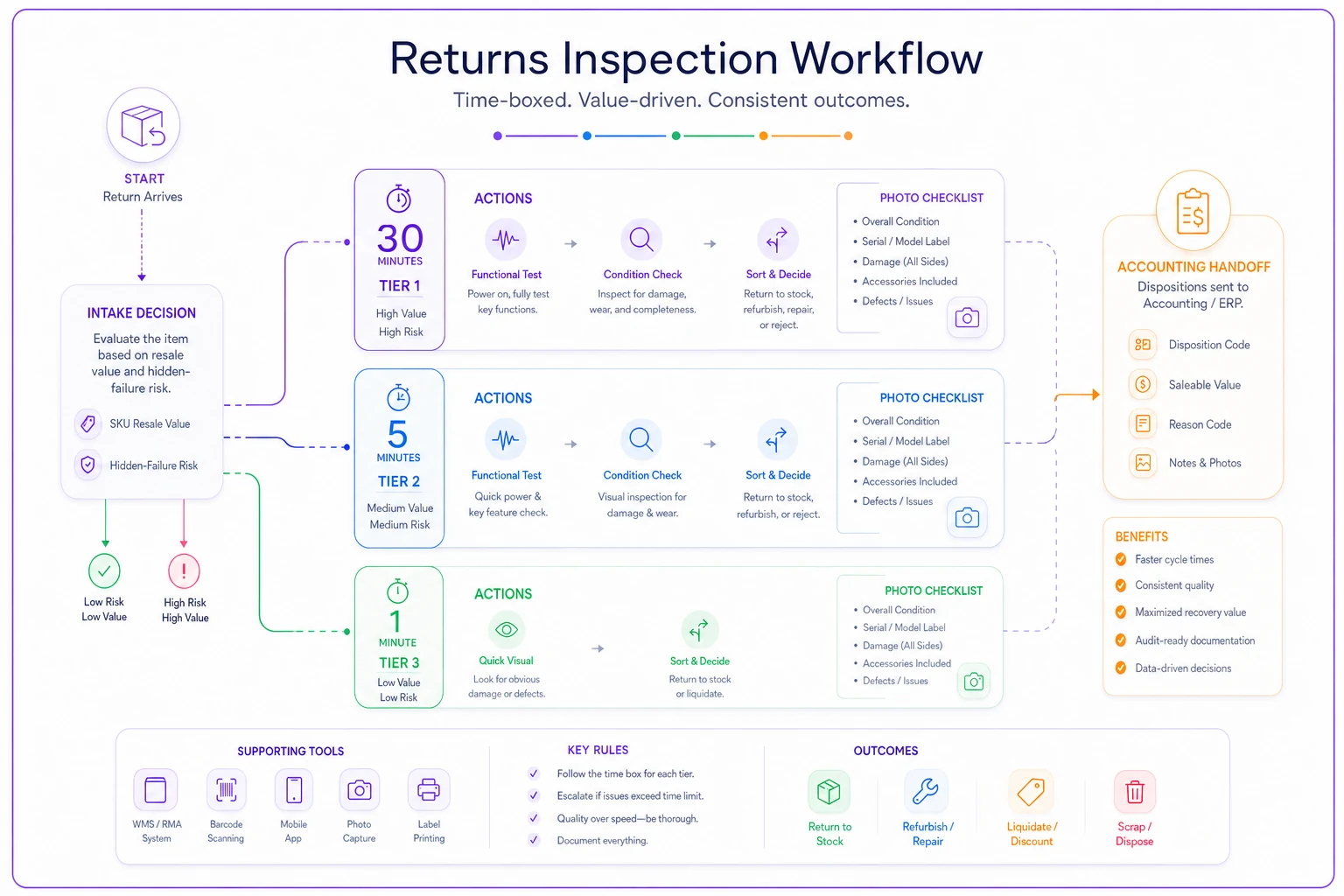
The 30-minute tier is where your recoverable money lives, so it gets a real script: power it on, run the function most likely to be the return reason, check the failure points that product line is known for, photograph condition, and estimate what refurb would cost in parts and labor. The 5-minute tier is a condition check and a quick call. The 1-minute tier isn't really an inspection — it's a sort. Trash, shelf, or donate pile, done.
Most returns volume by count lands in the 1-minute tier. Most recoverable value lands in the 30-minute tier. If your team is spending equal time across all three, you're burning labor on cheap stuff and leaving money sitting on the expensive stuff.
The mandatory photo checklist
Photos are the one thing people skip when they're busy, and it's what costs the most later. Without a condition photo at intake, you can't dispute a vendor denial, you can't prove the item came back damaged, and you can't settle the "was this scratched when we got it?" argument three weeks from now.
-
Overall shot — the whole item, so condition is obvious at a glance
-
The defect — close-up of whatever the return reason claims, or a shot showing it's absent
-
Serial/model label — ties the photo set to the specific unit and warranty status
-
Packaging condition — box, accessories, manuals present or missing
-
One "gotcha" angle per product category — the spot that unit line commonly fails or gets damaged (the hinge, the charging port, the seal)
The gotcha angle is the one that actually pays off over time. Every product family has a predictable failure or damage point, and photographing it every time builds an evidence trail that makes vendor claims faster and fraud disputes winnable. When you're pushing returns back to suppliers, that photo set is exactly what the RMA-to-vendor runbook relies on to speed credit — a clean evidence package gets approved; a vague one gets questioned.
Keep the photos attached to the return record, not floating in someone's phone camera roll. Five photos nobody can find is the same as no photos.
Refurb vs scrap: the threshold that stops the arguing
The slowest decisions are refurb-vs-scrap because they feel like judgment calls. They shouldn't be. Set a simple rule and the receiver stops deliberating.
The rule most SMBs can live with: refurb only if estimated refurb cost is under about 40% of the item's net recoverable resale value, and the parts and time are already on hand. If refurb would cost more than that, or requires ordering a part, or needs a skill the on-site team doesn't have — scrap it, liquidate it, or push it to the vendor instead.
A typical example: a returned mid-range blender resells refurbished for around $45. The jar is cracked. A replacement jar is $9 and takes two minutes to swap — that's 20% of recoverable value, clearly a refurb. Now the same blender comes back with a dead motor. Replacement is $28 plus 15 minutes of labor, and you'd have to order the part and wait. That's past the threshold and it stalls throughput. Scrap it or send it back to the vendor. The receiver doesn't need to think — they need to know the numbers and apply the rule.
Where this goes wrong: teams refurb things emotionally. "It's basically fine, just needs a little work." That little work is uncosted labor, and across a few hundred returns it adds up to a part-time salary spent rescuing items worth less than the time spent on them. Put the threshold on the wall next to the receiving table.
The accounting handoff template
A triaged return that never reaches finance cleanly is still a problem. The decision has to translate into the books — scrapped inventory written off, refurbished units re-costed, vendor returns flagged for expected credit. If that handoff is a hallway conversation, numbers get lost and month-end never reconciles.
-
Return ID and SKU — ties back to the original order and the inventory record
-
Decision — restock, refurb, scrap, liquidate, or vendor-return
-
Condition grade and photo set link — the evidence, attached
-
Recovered or written-off value — the dollar figure finance posts
-
Refurb cost applied (if any) — so the re-costed unit is accurate
-
Vendor-credit expected (if any) — flagged as a receivable to chase
The goal is that finance never has to ask "what happened to return #4471?" The record answers it. This discipline keeps the whole returns-to-books chain clean, and it pairs naturally with a proper quarantine and returns workflow so nothing moves to restock or finance before its condition is actually settled.
A real scenario
A regional small-appliance reseller was processing returns the flat way — everything into a single inspection queue, decisions made weekly in a batch. Return volume ran around 180–220 units a month. The queue averaged 11 days from receipt to decision, which meant vendor windows were closing on a portion of returns and seasonal items were losing resale value while they waited.
They split into the three tiers and put the refurb threshold and photo checklist on a laminated sheet at the table. Nothing fancy. The 1-minute tier cleared most of the volume same-day. The 30-minute tier — maybe 15–20 units a month — got real functional tests and clean photo sets.
After about two months, average time-to-decision dropped to under 3 days. The share of vendor returns that actually got credited went up noticeably because evidence was attached before the window closed. And they stopped refurbing items that weren't worth it — recovered labor that had been quietly eaten by "basically fine" units. The gains weren't from any single big win; it was from not leaking value across a couple hundred small decisions every month.
When this makes sense — and when it doesn't
This setup earns its keep when you have steady return volume across a range of item values, and when the person receiving returns isn't the owner. The tiering exists to let a non-expert make good decisions fast. If you're running under 20 returns a month and you personally inspect each one, the formal tiers are overhead you don't need — just keep the photo checklist.
It's also a bad fit if nearly everything you sell is the same value and complexity. A single-SKU seller doesn't need three tiers; they need one good script. The tiers pay off precisely when your returns are mixed — cheap and expensive, simple and complex, all hitting the same table.
And don't bother building this if you won't enforce the photo step. The entire value of the system is that every decision carries evidence. Skip the photos and you've got a faster way to make unprovable calls.
The bottom line
Returns triage isn't about inspecting harder. It's about matching inspection effort to recoverable value, giving the front-line person a clear time box and a clear decision to produce, and making sure that decision lands in both the photo record and the books without a follow-up conversation. Put the tiers, the threshold, and the checklist where the work actually happens, and the queue stops being a graveyard for recoverable value.
Ready to optimize your inventory operations?
Join 2,000+ businesses using Listoly to reduce stockouts, save time, and improve order accuracy.