
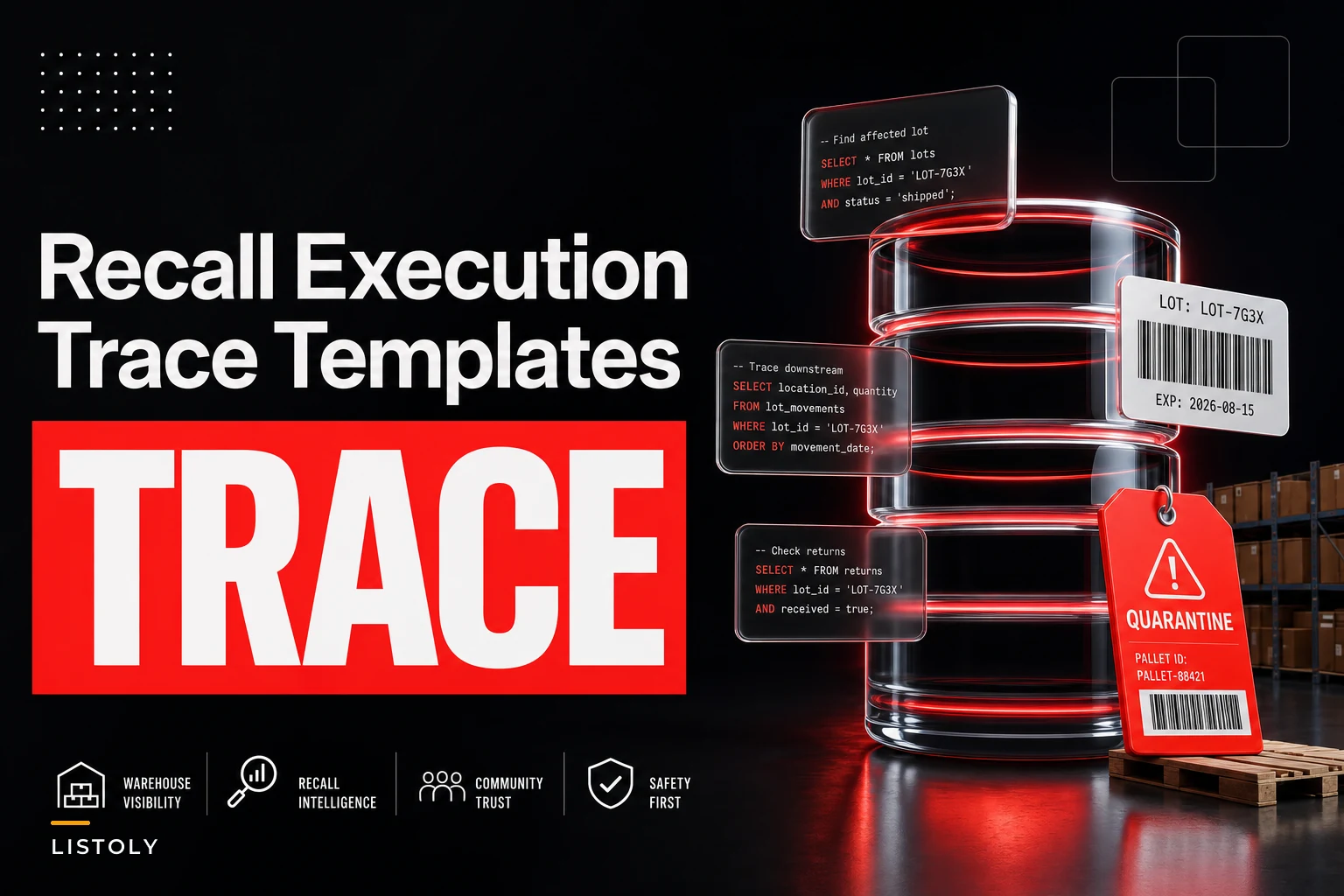

When a recall notice lands, the clock that actually matters isn't the one your supplier gives you. It's the one your auditor or health inspector is watching. And the gap between "we think we sold about 40 units" and "here are the exact 37 orders, the customers we notified, and the disposition of every remaining unit" is usually the difference between a clean audit and a painful one.
Most small operations already have a general plan somewhere. If you've built out a lightweight lot-traceability and recall runbook for small warehouses, good — this post picks up where that leaves off. This is the tactical layer: the actual database queries, the receipt metadata you should have been tagging all along, and the exact documentation an auditor expects to see when they ask "show me your work."
The scope here is narrow on purpose. Not recall strategy. Not vendor communication. Just: how do you find every affected order fast, and how do you prove you did it.
The specific failure this prevents
Here's the situation that trips up small businesses. A supplier sends a recall for lot L2447-B, affecting product received between two dates. Your team knows roughly which SKU it is. Somebody starts pulling shelf stock. Somebody else opens the POS and starts searching order history by product name.
Two hours in, you realize the problem: your sales records show what SKU sold, but not which lot it came from. So you can't tell whether the customer who bought that item in week one got the recalled lot or the previous good lot. You end up either notifying everyone who bought the SKU across three months — over-notifying, scaring customers, wrecking trust — or guessing, which is the version auditors hate.
This happens because lot data lives in receiving but never travels forward to the sale. Receiving knows the lot. Picking might know the lot if someone scanned it. But the customer receipt almost never carries it. That break in the chain is the whole problem.
Why the metadata gap exists in the first place
Most SMB systems weren't set up with lot-level traceability turned on because it felt like overhead nobody needed until the day they suddenly needed it badly. A few common patterns:
Never run out of stock or overorder again.
Listoly streamlines inventory workflows to keep your business stocked and profitable.
- Real-time stock tracking
- Automated reorder alerts
- Supplier and purchase management
No credit card required
-
Lot captured at receiving, dropped at putaway. The PO line has the lot, but once it merges into on-hand quantity for the SKU, the lot identity dissolves into a single number.
-
FEFO/FIFO assumed, never recorded. Teams rotate stock by date but never log which physical lot left the building on which order, so "first in, first out" is a policy, not a record.
-
Multiple lots commingled on one shelf. Two receipts of the same SKU sit in the same bin. Pickers grab whichever is in front. No scan, no capture, no way to reconstruct it.
The fix isn't a heavy WMS overhaul. It's deciding which fields you attach to a receipt and carry through to the sale line. That's the metadata part, and it's cheaper to address than you'd think.
Receipt metadata tags worth carrying forward
You don't need forty custom fields. You need a small set that survives from receiving all the way to the order record. Here's the practical minimum versus the ideal:
| Tag | Minimum viable | Ideal (fast trace) | Why it matters for recall |
|---|---|---|---|
lotid / batchid | On receipt only | On receipt + sale line | Without it on the sale line, you can't match orders to a recalled lot |
receipt_date | Yes | Yes | Lets you bound the affected window when supplier gives dates, not lot numbers |
supplier_id | Yes | Yes | Multi-source SKUs — you only recall the affected vendor's units |
expiry_date | If perishable | Always for food/health | Often the only identifier a supplier references |
bin_location | Optional | Yes | Speeds physical pull of remaining on-hand |
po_number | Yes | Yes | Ties the whole trace back to a document auditors trust |
orderlinelot | Rare | Yes | The single field that turns a 3-hour search into a 3-minute query |
If you fix only one thing on this list, make it orderlinelot — pushing the lot identifier onto the sales/order line at pick or ship.
Enforce
orderlinelotcapture at pack-out to make traces fast.
That's the field that closes the receiving-to-sale gap.
Trace query templates you can adapt
These are written as generic SQL-style patterns. If your data lives in a spreadsheet export or a reporting tool, the logic maps directly to filters. Adjust table and column names to match your system.
1. Find affected orders when the supplier gives you a lot number SELECT orderid, customerid, orderdate, quantity, binlocation FROM orderlines WHERE sku = 'SKU-4471' AND orderline_lot = 'L2447-B';
This is the clean case — and only possible if you tagged the lot on the sale line. It's the entire reason the metadata work matters.
2. Find affected orders when the supplier gives you a date window, not a lot SELECT o.orderid, o.customerid, o.orderdate, r.lotid, r.supplierid FROM orderlines ol JOIN receipts r ON ol.receiptid = r.receiptid JOIN orders o ON ol.orderid = o.orderid WHERE ol.sku = 'SKU-4471' AND r.receiptdate BETWEEN '2024-11-04' AND '2024-11-19' AND r.supplierid = 'VEND-33';
3. Identify remaining on-hand units of the affected lot (for physical pull) SELECT binlocation, SUM(quantityonhand) AS unitsremaining FROM inventorysnapshot WHERE sku = 'SKU-4471' AND lotid = 'L2447-B' GROUP BY bin_location;
4. Multi-lot exposure check when you can't tell which lot shipped SELECT DISTINCT o.customerid, o.orderid, o.orderdate FROM orders o JOIN orderlines ol ON o.orderid = ol.orderid WHERE ol.sku = 'SKU-4471' AND o.order_date BETWEEN '2024-11-06' AND '2024-11-25';
Save the output of query 4 as evidence of your reasoning, even if it over-includes. Auditors respond much better to "here's exactly why we cast a wider net" than to a confident-but-unprovable narrow list.
The execution checklist
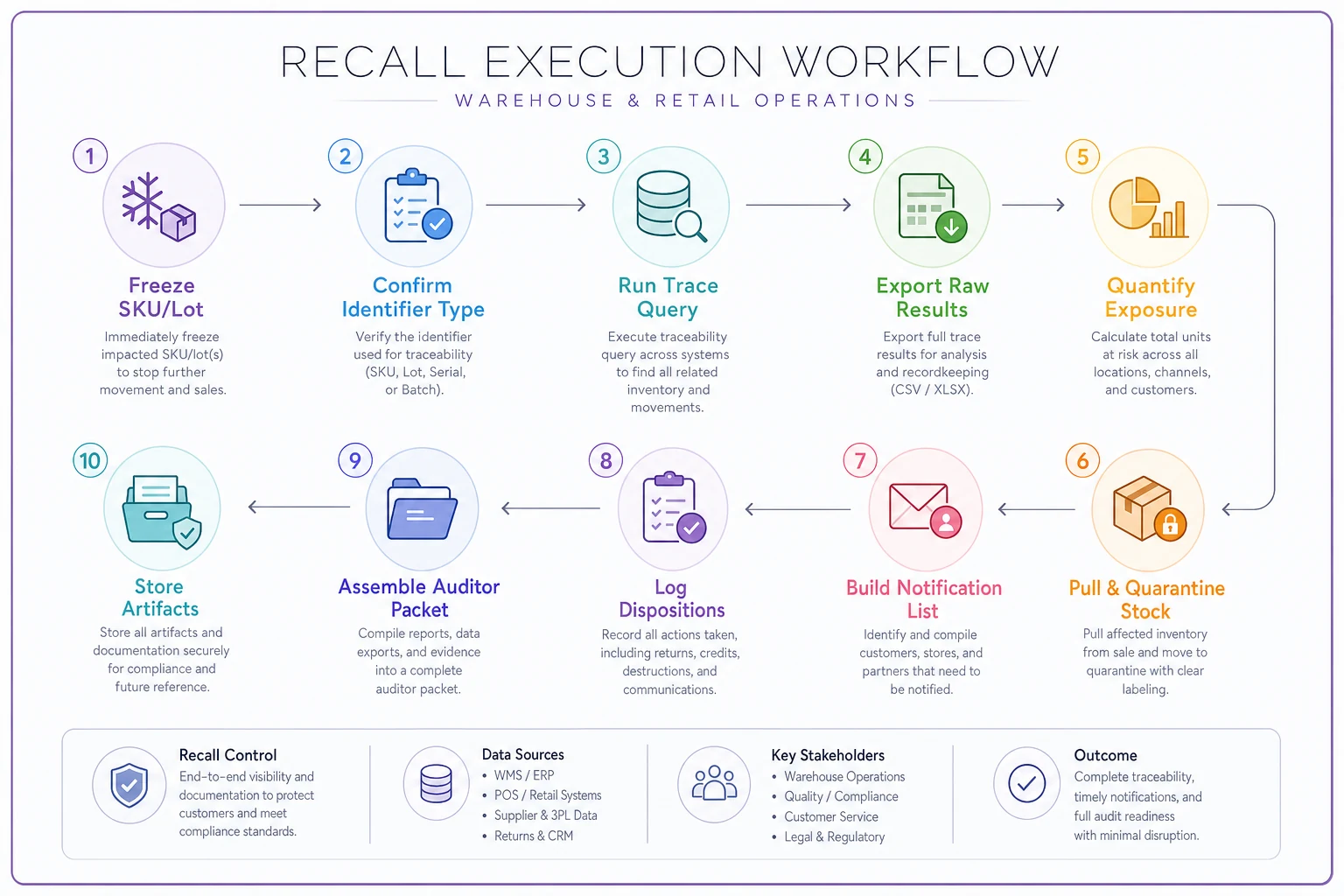
Run this in order. Each step produces an artifact you keep for the file.
-
Freeze the affected SKU/lot. Block it from picking and sales immediately so you don't ship more while you investigate. Timestamp this — auditors want to see how fast you contained it.
-
Confirm the identifier type. Lot number? Date range? Supplier batch? This determines which query above you run.
-
Run the trace query and export raw results. Don't clean it first. Keep the raw pull as your source of truth.
-
Quantify exposure. Units sold, units still on-hand, units in transit or on open orders.
-
Pull remaining physical stock using the on-hand query, and move it to quarantine. (A low-overhead quarantine and returns workflow keeps recalled units from sneaking back into pickable stock.)
-
Build the customer notification list from the affected-orders export.
-
Log every disposition. Destroyed, returned to vendor, held. Each unit's fate, dated.
-
Assemble the auditor packet (next section).
Here's a quick visual of the execution checklist workflow.
Printed checklist version for the receiving desk:
-
- [ ] Recalled lot/SKU frozen in system — time logged
-
- [ ] Identifier type confirmed (lot / date / batch)
-
- [ ] Trace query run + raw export saved
-
- [ ] Sold units counted
-
- [ ] On-hand units counted and quarantined
-
- [ ] Open/in-transit orders flagged
-
- [ ] Customer list generated
-
- [ ] Notifications sent — with timestamps
-
- [ ] Disposition of every unit recorded
-
- [ ] Packet compiled and stored with the recall reference number
Assemble the auditor packet (next section).
What the auditor packet actually needs
Auditors aren't looking for a polished report. They want a defensible chain: how you found the units, how you knew you found all of them, and what you did with each one. A packet that holds up usually contains:
-
The original recall notice from the supplier
-
The raw trace query output (with the query text itself included — this shows your method)
-
A reconciliation
units received in the lot = units sold + units on-hand + units in transit + units destroyed
-
Timestamps for containment and notification
-
Copies of customer notifications
-
Disposition log
That reconciliation line is the one people skip and the one auditors love. If you received 200 units of the lot and can only account for 186, that 14-unit gap is exactly what an inspector will circle. Being able to say "12 were sold and notified, 2 were damaged in receiving and logged in this report" closes the question before it becomes a finding.
A realistic scenario
A small specialty food distributor — three staff, one 4,000 sq ft warehouse, selling to about 60 café and grocery accounts — got a supplier recall on a batch of packaged sauce. Roughly 220 units received across two deliveries.
Before they'd tightened their metadata, the first instinct was to pull the SKU's entire sales history for the quarter, which would've meant contacting close to 50 accounts, most of whom received the previous clean lot. That's a lot of unnecessary alarm and a lot of returned good product.
Because they'd started tagging orderlinelot at pack-out about six months earlier, the actual trace ran in under ten minutes: 14 accounts had received units from the recalled lot, 41 units still sat in quarantine-eligible on-hand, and 3 units were unaccounted for — traced to a damaged-goods write-off already in the log. The reconciliation balanced. Notifications went to 14 accounts instead of 50. The whole event closed in roughly a day and a half instead of the better part of a week, and the audit trail didn't need a single follow-up email.
The difference wasn't a fancier system. It was one field carried from receiving to the sale line, plus a saved query.
When this level of tracing makes sense — and when it's overkill
Worth doing fully: anything perishable, ingestible, applied to skin, or regulated — food, supplements, cosmetics, pet products, certain electronics. If a recall in your category can involve a health authority, capture lot on the sale line. No debate.
Lighter version is fine: durable non-regulated goods where "recall" usually means a voluntary quality swap and the worst case is a refund. Receipt-date plus supplier tagging is often enough; you may not need lot on every order line.
Who should not over-invest: a micro-operation selling a handful of low-risk SKUs with a small customer list they could reconstruct by hand in an afternoon. Building elaborate lot capture there is effort spent on a problem you can brute-force. Spend that energy on the categories where a bad trace turns into a regulatory event.
Where systems help — and where they don't
The tagging and querying above can run on a spreadsheet plus a POS export if your volume is low. The place manual methods break down is consistency: someone forgets to record the lot at pack-out, and six months later that one gap is the order you can't trace. Operational platforms with lot capture and receipt-metadata carry-through mostly earn their keep by removing that failure point — pushing the lot from receiving onto the sale line automatically, so the trace query has something to find.
But the tool is secondary. The queries and the metadata discipline are what actually make a recall traceable. Get those right first, and any system you layer on top just makes them faster.
Bottom of it
A recall isn't the time to figure out your recall traceability checklist — that decision got made months earlier, the day you chose whether the lot number would follow the product to the customer.
Attach the right handful of metadata tags, keep the trace queries saved and tested, and treat the reconciliation math as non-negotiable. Do that, and the recall stops being a fire drill and becomes a checklist you run, close, and file.
Do that, and the recall stops being a fire drill and becomes a checklist you run, close, and file.
Ready to optimize your inventory operations?
Join 2,000+ businesses using Listoly to reduce stockouts, save time, and improve order accuracy.