

Most SMBs don't fail at buying products. They fail at letting go of them. A SKU gets added, sells fine for a while, then drifts into that murky zone where it's not quite dead but not quite worth the shelf space either. And because nobody owns the decision to kill it, it just sits. For months. Sometimes years.
The fix isn't a one-time cleanup project. It's treating every SKU like it moves through defined stages, and setting up scoring rules that automatically flag when something crosses from one stage into the next. That's the difference between reacting to dead stock once a year and catching it while there's still margin left to protect.
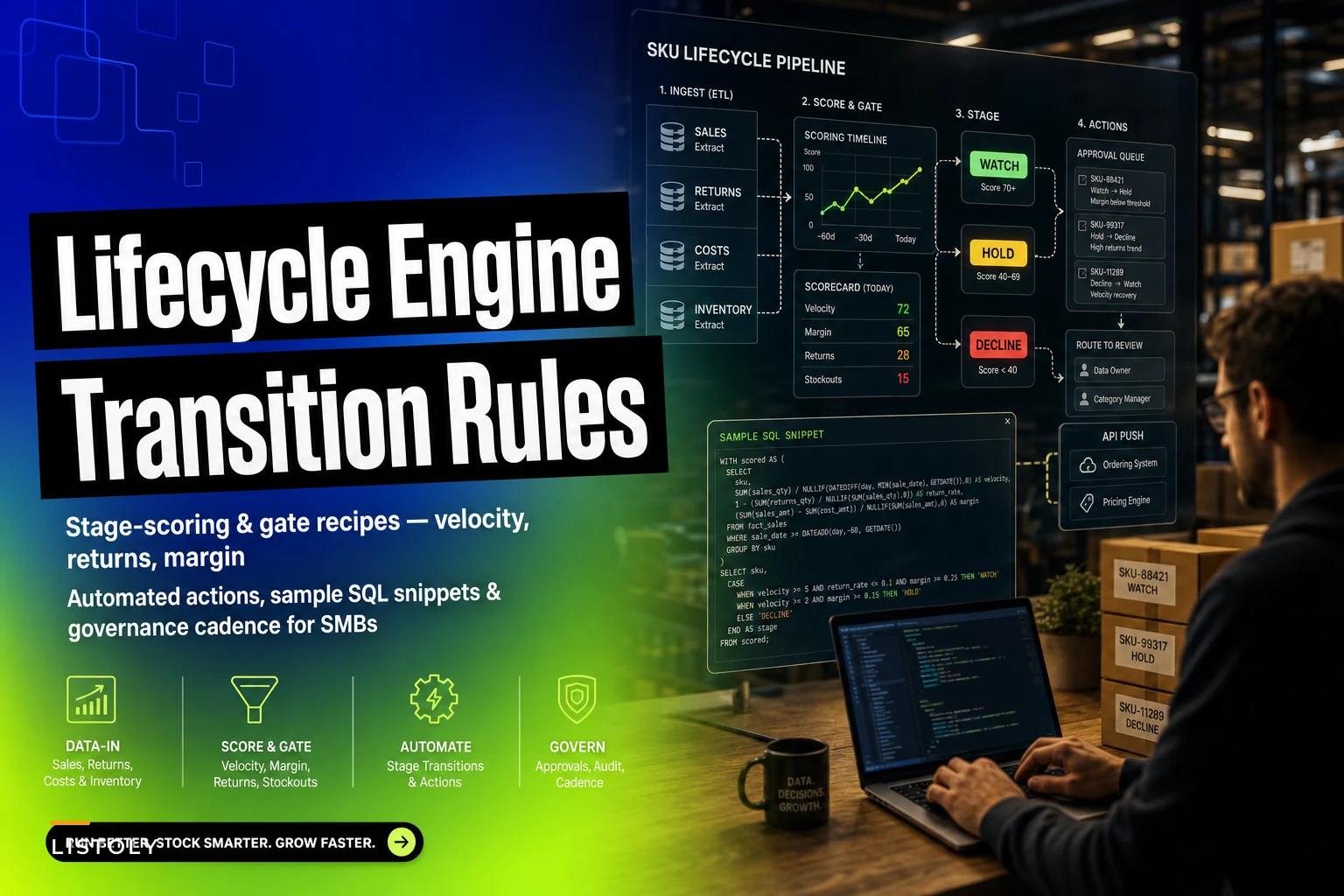
This post covers building those stage gates — the actual scoring logic, the SQL to pull it, and what action each gate should trigger.
The five stages most SMB SKUs actually move through
Forget the textbook "introduction, growth, maturity, decline" curve. In real SMB operations, SKUs sort into something more practical:
-
Launch — new, no reliable sales history, you're watching sell-through closely
-
Core — steady velocity, healthy margin, carries its weight
-
Watch — slowing down, or margin eroding, or returns creeping up
-
Decline — clearly fading, cover building, needs intervention
-
Exit — being actively wound down toward delist
The whole point of scoring is to decide which stage a SKU is in right now — not where it was last quarter. Because the trap isn't misclassifying a SKU once. It's that nobody re-checks, so a Core item quietly rots into a Decline item while still being reordered on autopilot.
The SKUs that cause the most damage are almost never the obvious dead ones. They're the "it still sells a little" items — selling just enough that nobody feels comfortable killing them, but not enough to justify the cash they tie up.
The three signals that actually matter
You can score SKUs on a dozen metrics. For SMBs with limited data and limited time, three carry almost all the weight:
Never run out of stock or overorder again.
Listoly streamlines inventory workflows to keep your business stocked and profitable.
- Real-time stock tracking
- Automated reorder alerts
- Supplier and purchase management
No credit card required
Velocity — units sold per week, trended. Not lifetime average. What matters is the direction. A SKU selling 40/week that dropped to 22/week over eight weeks is telling you something an average would hide.
Returns rate — returns as a percentage of units sold, over a rolling window. This is the signal most SMBs ignore entirely, and it's often the earliest warning. A rising return rate kills margin twice: once on the refund, once on the handling and restock cost.
Margin — contribution margin after landed cost, not list price minus cost. If you've been sloppy on landed cost, your margin signal is lying to you. A SKU that looks like 38% margin on paper can be 19% once you fold in freight, duties, and the markdowns you keep running to move it.
Where most scoring systems go wrong: they weight these signals equally. They shouldn't. A high-velocity, high-return SKU is a different problem than a low-velocity, high-margin one. The scoring has to account for how the signals combine.
A simple scoring model
Score each signal 1–3, then combine them into a stage recommendation. Keep it blunt — overcomplicated scoring never survives contact with a busy inventory team.
| Signal | Score 1 (bad) | Score 2 (okay) | Score 3 (good) |
|---|---|---|---|
| Velocity trend | Declining >25% over 8wk | Flat (±25%) | Growing |
| Returns rate | >12% | 5–12% | <5% |
| Contribution margin | <15% | 15–30% | >30% |
Then map combinations to stages and actions:
| Pattern | Stage | Automated action at gate |
|---|---|---|
| All 3s, young SKU | Launch → Core | Promote to core, set normal reorder |
| All 2s or 3s, steady | Core | Hold — no action |
| Velocity 1, margin 2–3 | Watch | Flag for review, pause auto-reorder |
| Velocity 1, returns 1 | Decline | Promo markdown, clear cover |
| Velocity 1, margin 1 | Exit | Delist sequence, last-time-buy block |
The three gate actions — promo, hold, delist — cover almost every case. "Hold" is a real decision, not a non-decision. It means the system checked and deliberately did nothing. That distinction matters when you're reviewing later and want to know whether a SKU was ignored or actually cleared.
The SQL that drives the gates
You don't need a warehouse-scale data stack for this. A nightly query against your sales, returns, and cost tables is enough. Here's a working skeleton you can adapt.
WITH velocity AS ( SELECT sku, SUM(CASE WHEN saledate >= CURRENTDATE - INTERVAL '4 weeks' THEN qty ELSE 0 END) / 4.0 AS unitsrecent, SUM(CASE WHEN saledate >= CURRENTDATE - INTERVAL '12 weeks' AND saledate < CURRENTDATE - INTERVAL '4 weeks' THEN qty ELSE 0 END) / 8.0 AS unitsprior FROM sales GROUP BY sku ), returns AS ( SELECT s.sku, COALESCE(SUM(r.qty),0)::decimal / NULLIF(SUM(s.qty),0) AS returnrate FROM sales s LEFT JOIN returns r ON r.sku = s.sku AND r.returndate >= CURRENTDATE - INTERVAL '12 weeks' WHERE s.saledate >= CURRENTDATE - INTERVAL '12 weeks' GROUP BY s.sku ), margin AS ( SELECT sku, AVG((unitprice - landedcost) / NULLIF(unitprice,0)) AS contribmargin FROM salesline WHERE saledate >= CURRENTDATE - INTERVAL '12 weeks' GROUP BY sku ) SELECT v.sku, v.unitsrecent, v.unitsprior, CASE WHEN v.unitsprior = 0 THEN NULL ELSE (v.unitsrecent - v.unitsprior) / v.unitsprior END AS velocitytrend, r.returnrate, m.contrib_margin FROM velocity v LEFT JOIN returns r ON r.sku = v.sku LEFT JOIN margin m ON m.sku = v.sku;
Then score and assign a stage — you can do this in SQL or in whatever runs your nightly job:
SELECT sku, CASE WHEN velocitytrend < -0.25 AND contribmargin < 0.15 THEN 'EXIT' WHEN velocitytrend < -0.25 AND returnrate > 0.12 THEN 'DECLINE' WHEN velocitytrend < -0.25 THEN 'WATCH' WHEN velocitytrend >= -0.25 AND contribmargin >= 0.15 THEN 'CORE' ELSE 'WATCH' END AS stagerecommendation FROM sku_signals;
Two things people get wrong here. First, the NULLIF guards are not optional — a single divide-by-zero on a SKU with no prior sales will blow up the whole batch. Second, don't let brand-new SKUs fall into DECLINE just because they have a short, noisy history. Add a WHERE firstsaledate < CURRENT_DATE - INTERVAL '8 weeks' filter so Launch-stage items aren't judged on velocity trends that don't exist yet.
Don't forget the
NULLIFguards to prevent divide-by-zero errors.
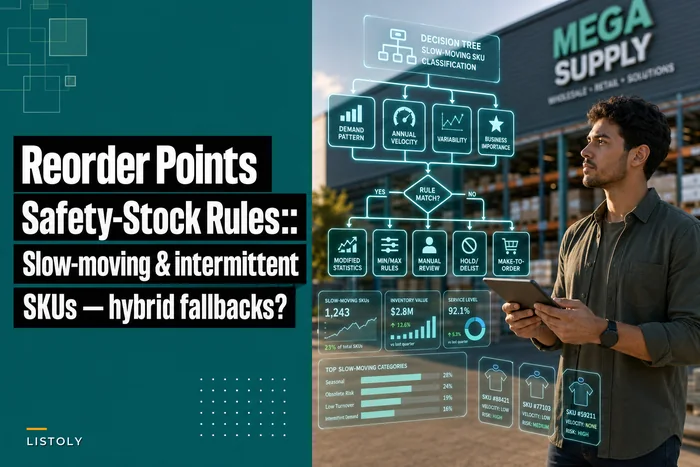
For slow-moving and intermittent items, the velocity math needs different handling — the approach in reorder points and safety-stock rules for slow-moving and intermittent SKUs is a better fit than a straight trend comparison.
What each gate should actually trigger
Scoring is useless if the output just lands in a spreadsheet nobody acts on. Each stage transition needs a concrete, pre-agreed action.
Watch gate → pause and review. The single most valuable automated action is pausing auto-reorder the moment a Core SKU crosses into Watch. This stops the bleeding before it starts. You're not killing the product — you're just refusing to buy more until a human looks. In practice, this one rule prevents more dead-stock buildup than almost anything else, because it kills the autopilot reorder that keeps feeding a dying SKU.
Decline gate → promo sequence. Start a structured markdown to clear existing cover while demand still exists. The mistake is waiting until the SKU is nearly dead to discount it — by then you're clearing at a loss instead of a trim.
Exit gate → delist sequence. Block last-time-buys, flag remaining stock for final markdown or liquidation, and queue the SKU for deactivation after cover hits zero. The delist should be a sequence, not a switch. You don't want to deactivate a SKU that still has 200 units in a back aisle.
A short numbered workflow for the transition
-
Nightly job scores every eligible SKU and assigns a stage.
-
Any SKU that changed stage since the last run gets added to a review queue.
-
Watch-stage SKUs have auto-reorder paused immediately — no human needed.
-
Decline and Exit recommendations wait for a weekly human sign-off before promo or delist fires.
-
Approved actions push back into the ordering and pricing systems.
-
Changes get logged with the signal values that triggered them.
Below is a visual of the nightly scoring and action routing workflow.
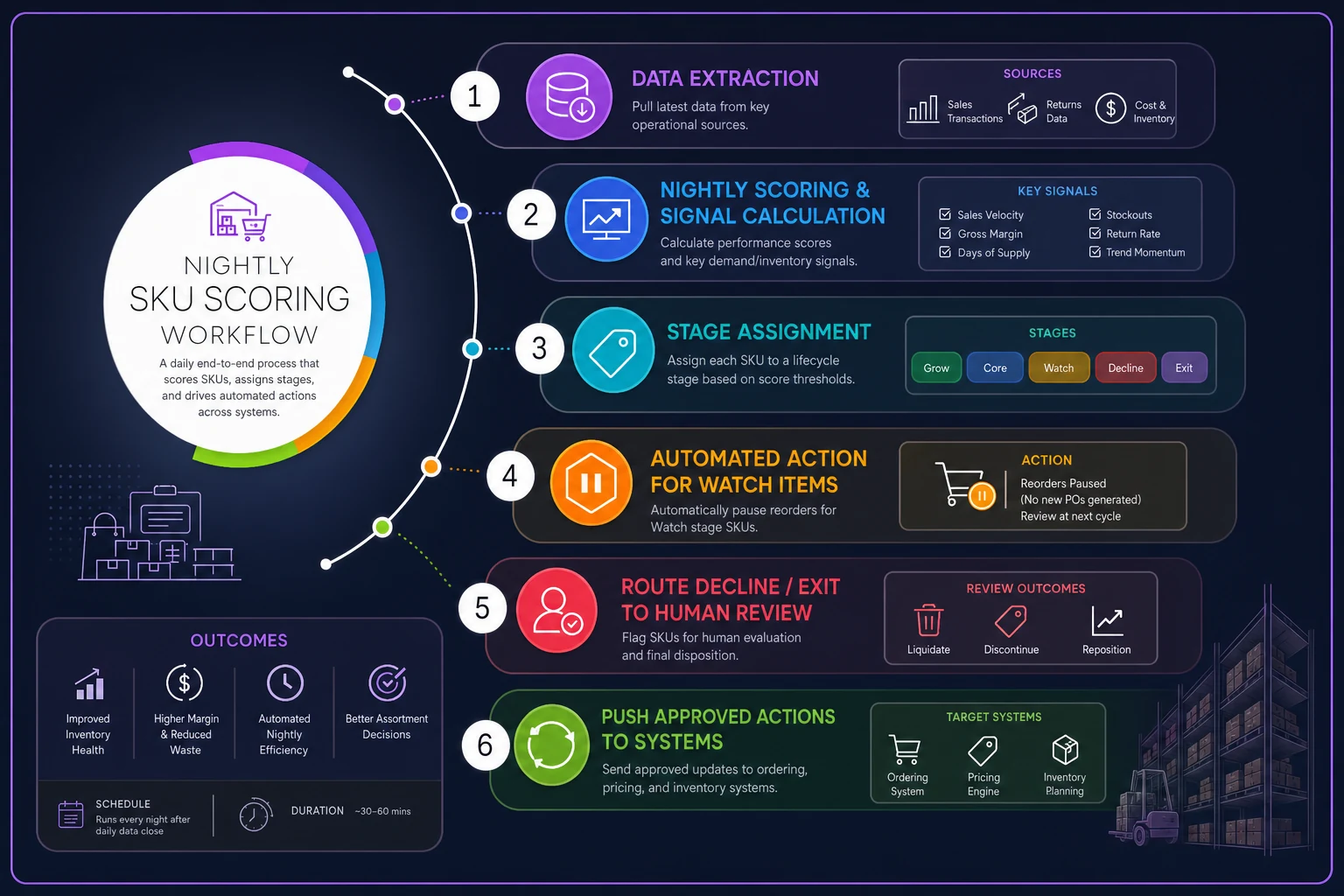
The split in steps 3 and 4 matters. Pausing a reorder is low-risk and reversible, so automate it fully. Delisting is high-consequence, so keep a human in the loop. Full automation of the dangerous action is how you end up delisting your third-best seller because of a two-week data glitch.
When automated transitions are a bad idea
A few cases where you should not let the scoring fire actions automatically:
-
Seasonal SKUs. A patio heater in July looks like a Decline item. It's not. Tag seasonal SKUs and exempt them from velocity-based gates during their off-season.
-
New SKUs under ~8 weeks. Not enough signal. Leave them in Launch and judge on sell-through targets, not trend math.
-
Promo-driven returns spikes. If a return rate jumps right after a big promo, that's often promo mechanics, not a bad product. Context matters, and it overlaps with the dynamics covered in promo-safe replenishment.
-
SKUs tied to a bundle or kit. Killing a component that looks slow on its own can break a kit that actually sells well.
The broader point: scoring recommends, it doesn't rule. The teams that get burned are the ones that treated the model's output as gospel instead of as a prioritized to-do list.
Governance cadence that keeps it honest
A scoring system quietly degrades if nobody tends it. Thresholds drift out of line with reality, seasonal tags go stale, and the review queue turns into a graveyard nobody opens. A light cadence keeps it alive:
-
Weekly — clear the stage-transition review queue. Sign off on Decline/Exit actions. Should take 20–30 minutes if the queue is small.
-
Monthly — spot-check a handful of recent delists. Did anything get killed that shouldn't have? Did anything obvious stay in Core when it shouldn't have?
-
Quarterly — recalibrate thresholds. If 40% of SKUs are landing in Watch, your velocity threshold is too twitchy. If almost nothing ever hits Exit, it's too loose.
-
Annually — review seasonal tags and the exemption list before each season starts.
The quarterly recalibration is the step everyone skips and the one that matters most. A 12% return-rate threshold might be fine for apparel and completely wrong for electronics. The model should get more accurate over time, and it only does that if someone's checking where it was right and wrong.
A realistic example
A small home-goods retailer with around 900 active SKUs was reordering on fixed min/max levels across the board — no stage logic at all. Roughly a quarter of their catalog was items selling under 3 units a month but still on auto-reorder.
After wiring up stage scoring, the first nightly run flagged around 60 SKUs crossing into Watch and another 25 or so into Decline. Pausing auto-reorder on the Watch items alone stopped somewhere between $9k–$11k in cash from going back into stock that wasn't moving. The Decline promo sequence cleared a chunk of aging cover at a 20–30% markdown instead of the deeper liquidation haircut they'd normally eat months later.
The bigger shift was cultural, not financial. The "should we keep this?" conversation went from a dreaded annual purge to a 25-minute weekly queue review. Nobody had to remember to check anymore — the system surfaced the candidates and the team just decided.
That naturally ties into a deeper cleanup effort. Once transition rules are catching decline early, a periodic SKU rationalization pass becomes a trim rather than major surgery, because far fewer SKUs have been allowed to rot in the first place.
Where software helps — and where it doesn't
You can run all of this with a nightly SQL job and a spreadsheet review. Plenty of SMBs do, and it works. The friction shows up as you scale: manually joining sales, returns, and cost tables every week, remembering to pause reorders, keeping seasonal exemptions current, making sure the right person actually sees the queue.
That's the point where operational software earns its keep — not by making the decisions, but by running the scoring on schedule, pausing low-risk reorders automatically, routing the high-risk ones to a person, and logging what triggered each change so your quarterly recalibration has real data behind it. The judgment stays with your team. The repetitive plumbing — pulling signals, flagging transitions, nudging the right person — gets handled quietly in the background.
The goal isn't a system that kills SKUs for you. It's a system that makes sure no SKU ever drifts into decline unnoticed, and that every decision to promo, hold, or delist is made on purpose instead of by neglect.
Ready to optimize your inventory operations?
Join 2,000+ businesses using Listoly to reduce stockouts, save time, and improve order accuracy.